
Chantico 1.0 marks the first stable release of my local-first smart-home controller for Windows. It is still free.
Thank you to everyone who tried the beta, reported issues, and shared ideas. Your feedback helped turn Chantico into a clearer, more personal way to bring your smart devices together, starting with Matter and Philips Hue.
Your home, arranged your way
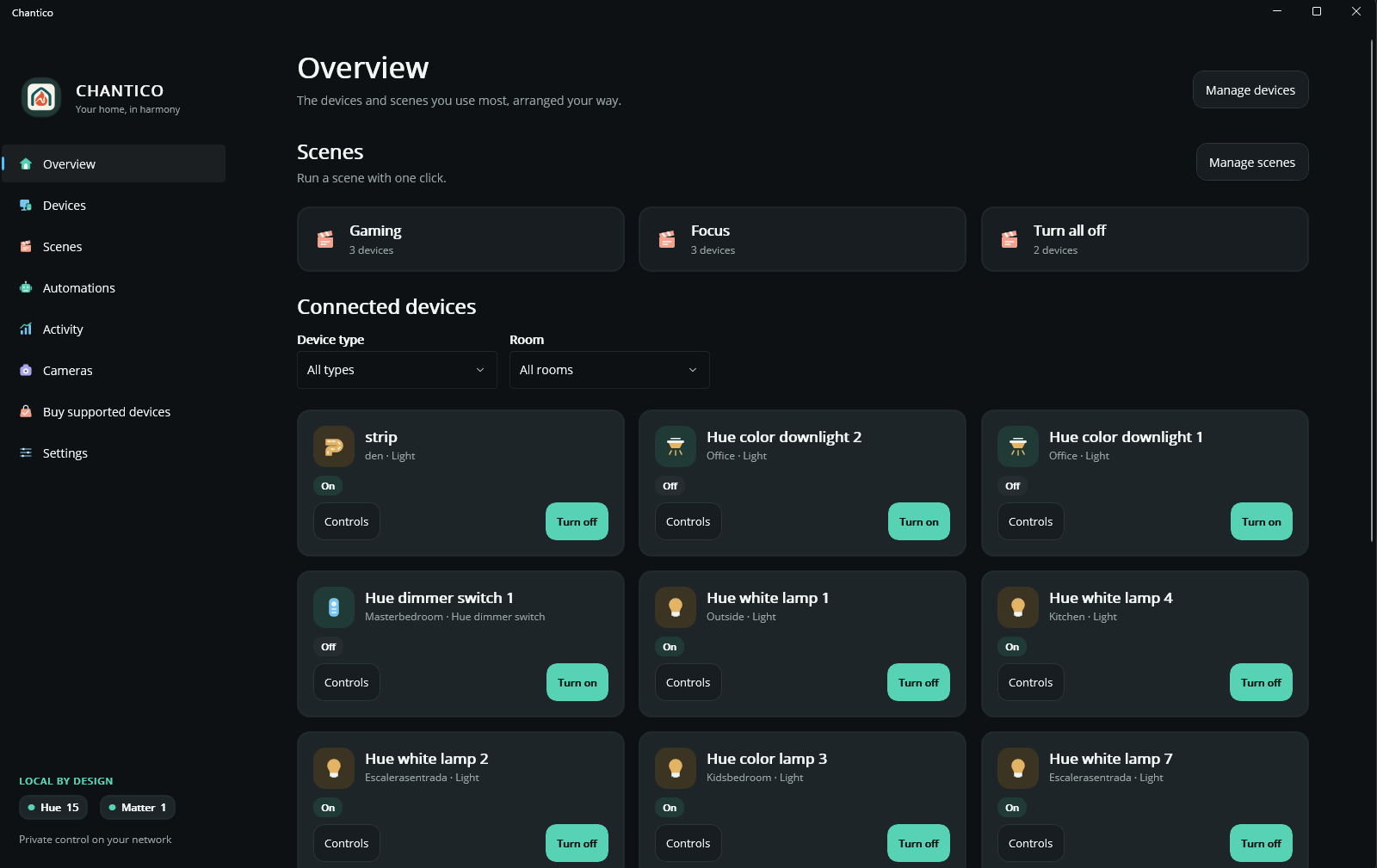
Choose compact controls for everyday actions or an extended layout for more device details. Move dashboard cards into the order that works for you and filter devices by room or type. Your chosen device order is preserved when you switch layouts.
Clearer controls, scenes, and automations
Refined device panels make supported power, brightness, color, and white-temperature controls easier to use. Scenes bring device actions together, while automations can run scenes on a schedule or in response to supported device events.
The optional background controller keeps supported automations running when the main window is closed. Your PC and controller must remain running.
See what happened, without the noise
Activity separates device changes from command results and automation outcomes. Routine state reports are hidden by default, with an option to include them. Sensor trends help you explore recorded readings when supported devices and history are available.
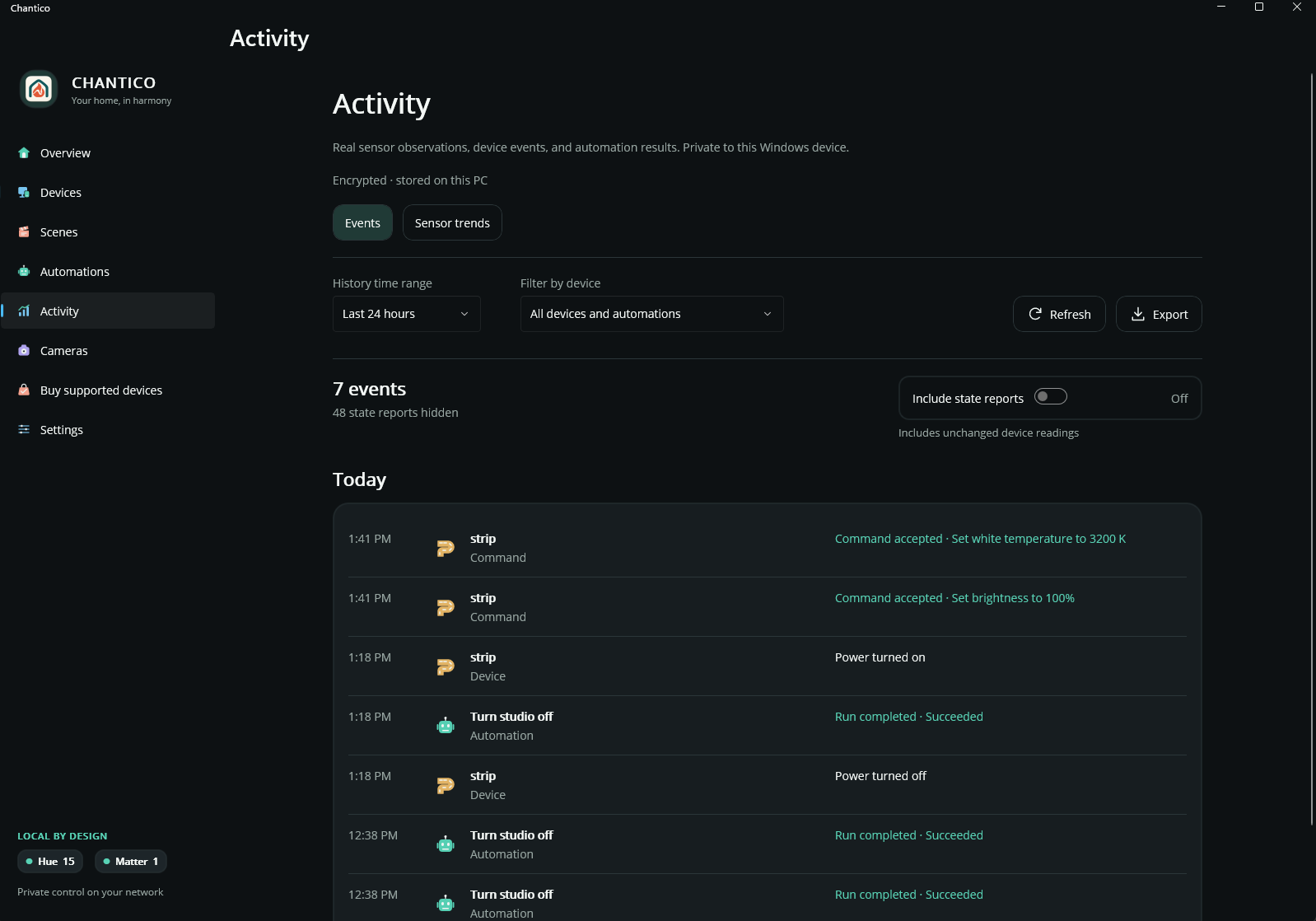
A command acknowledgement is not the same as an observed device-state change. Activity keeps that distinction visible.
Your history stays on your PC
Optional activity history is encrypted on this Windows device, never sent through telemetry, and not exposed through Chantico’s AI tools. Choose a retention period and explicitly export a copy to CSV or JSON when you want one. Exported files are not encrypted by Chantico.
Quick controls from Windows Widgets
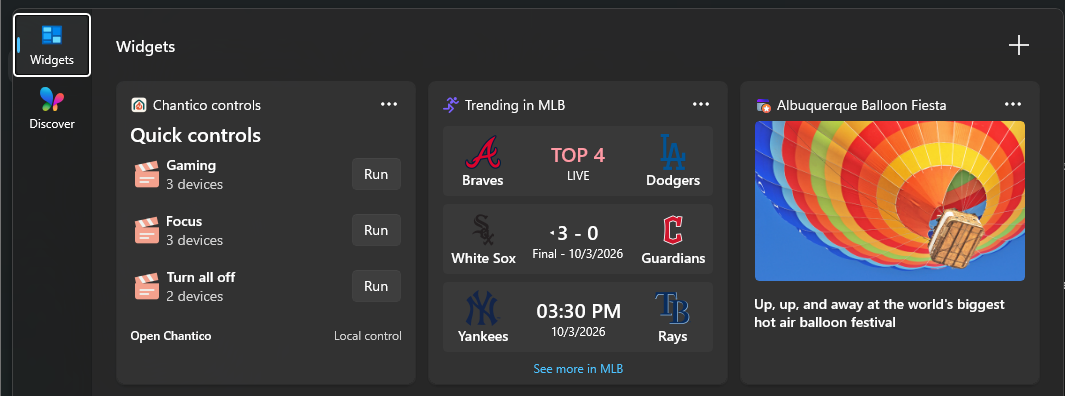
Put selected scenes and device power controls on the Windows Widgets board. Medium widgets show up to three controls; large widgets show up to six.
Settings that fit your setup
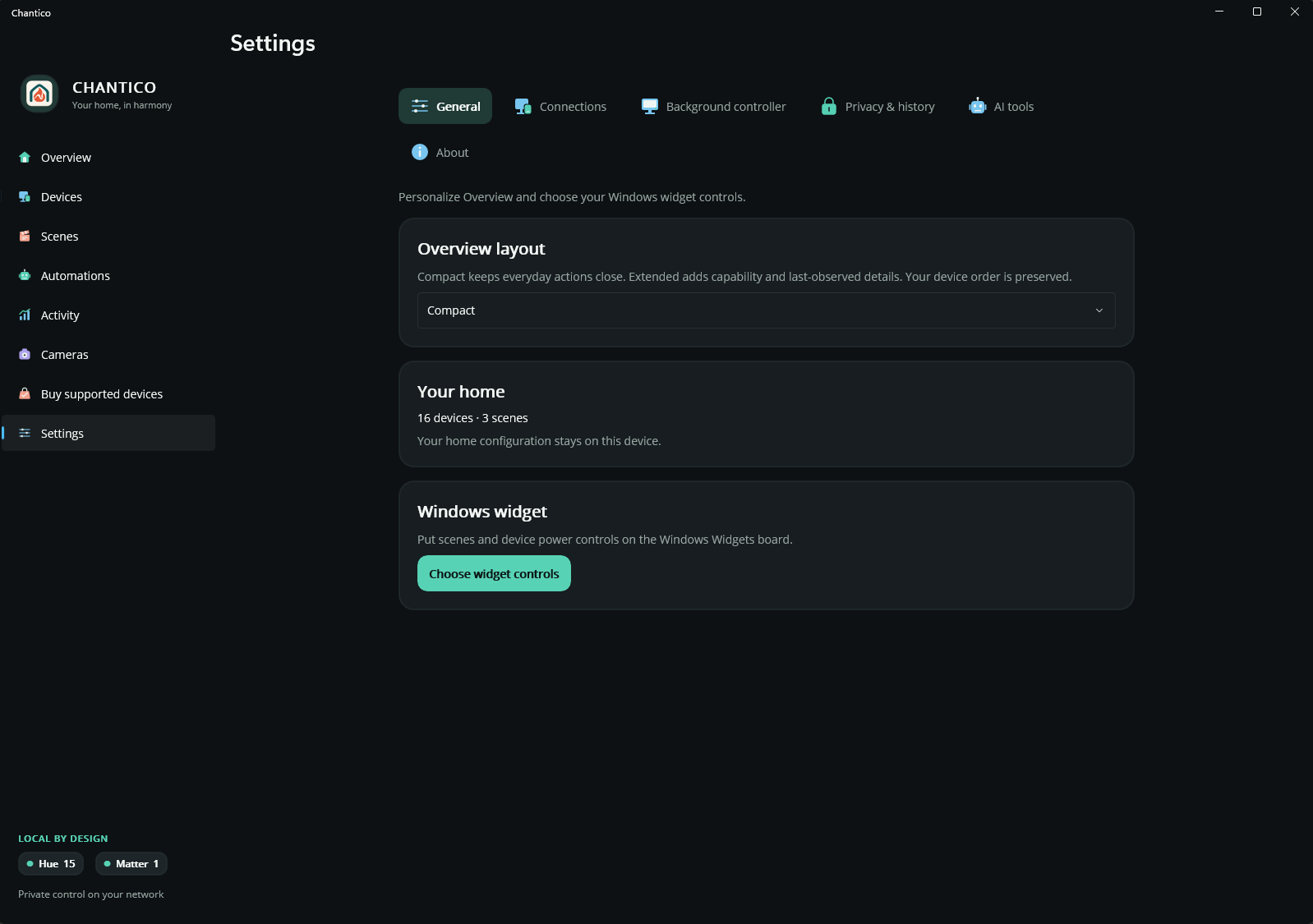
Settings now groups dashboard preferences, connections, the background controller, privacy and history, and optional AI tools into distinct sections.
Compatible AI clients can use an optional local MCP server with permissions you choose. AI integration is optional; connected clients have their own privacy practices.
Getting started
Add compatible Matter devices using a QR code or setup code. For Philips Hue, add and configure devices in the Hue app first, then connect your Hue Bridge in Chantico. Chantico cannot pair new Hue devices directly.
Available controls and events depend on what each device exposes. Check supported devices or contact support if you are unsure about your setup.
Get Chantico free from Microsoft Store
This is a foundation to build on. I’m looking forward to seeing how you make it yours.